⌁
01WireGuard speed. Less obvious traffic.
AmneziaWG keeps WireGuard’s cryptographic core and changes its predictable transport signatures, making the tunnel more resistant to DPI-based detection.
VPN Dan combines WireGuard’s modern encryption with AmneziaWG traffic obfuscation. Fast, calm, one-tap protection for iPhone and Apple silicon Mac.
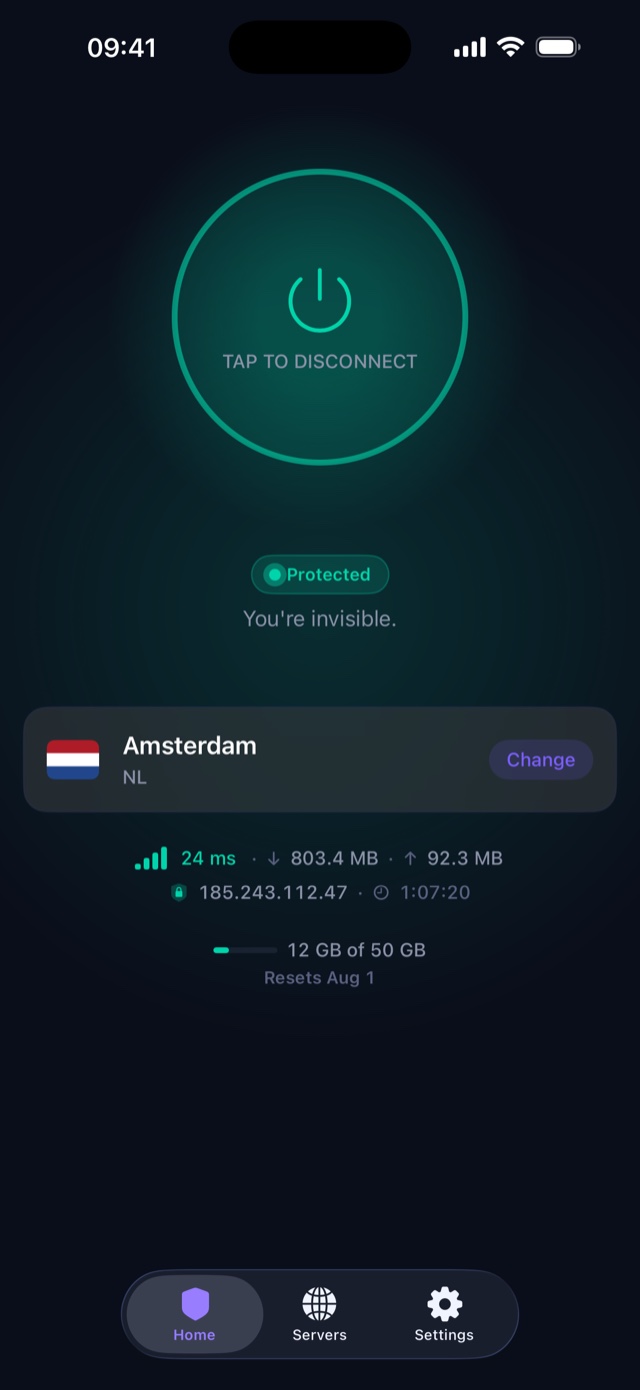
A VPN is most useful when it stays connected. VPN Dan removes protocol menus and fragile setup, then adds the controls that matter day to day.
AmneziaWG keeps WireGuard’s cryptographic core and changes its predictable transport signatures, making the tunnel more resistant to DPI-based detection.
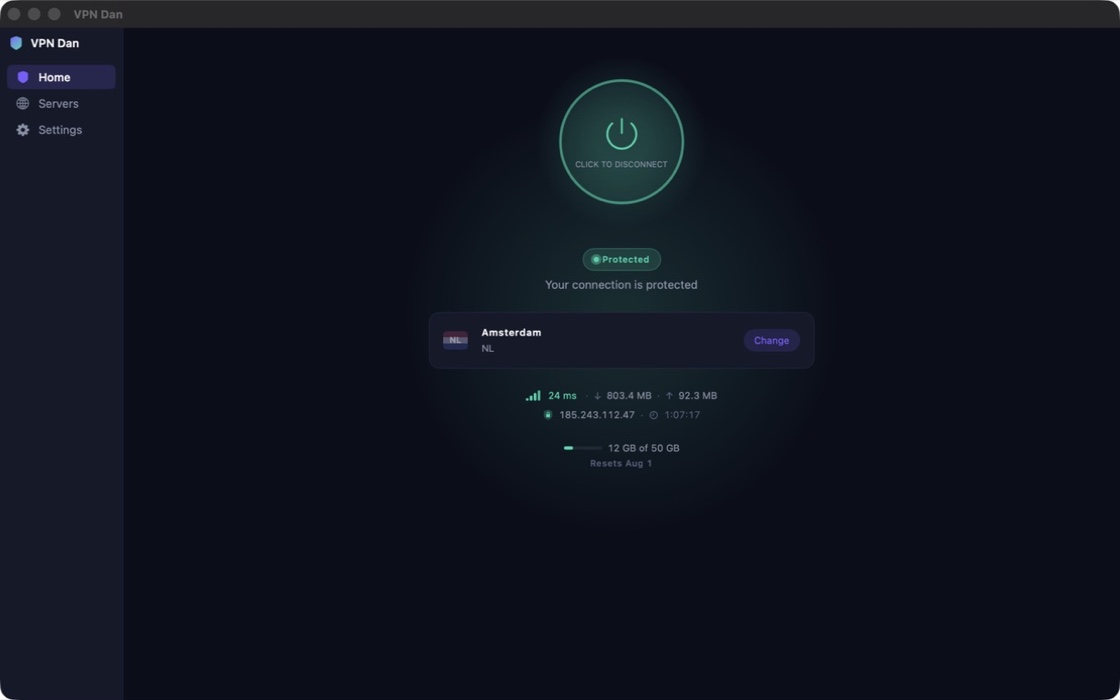
Move from Wi‑Fi to cellular, wake your Mac, or reopen the app. On-demand protection automatically restores the tunnel until you turn it off.
Use split tunneling for local services, selected domains, IP ranges, or entire countries while everything else stays protected.
See live response times, filter by region, and favorite locations instead of guessing which server will feel fastest.
Track the monthly data you’ve used directly in the app. Your allowance resets at the start of each UTC month.
An optional DNS filter that blocks known ad and tracker domains for every app on the device, not just your browser. We keep an aggregate count of what was blocked — never the domains you asked for, and never when you asked.
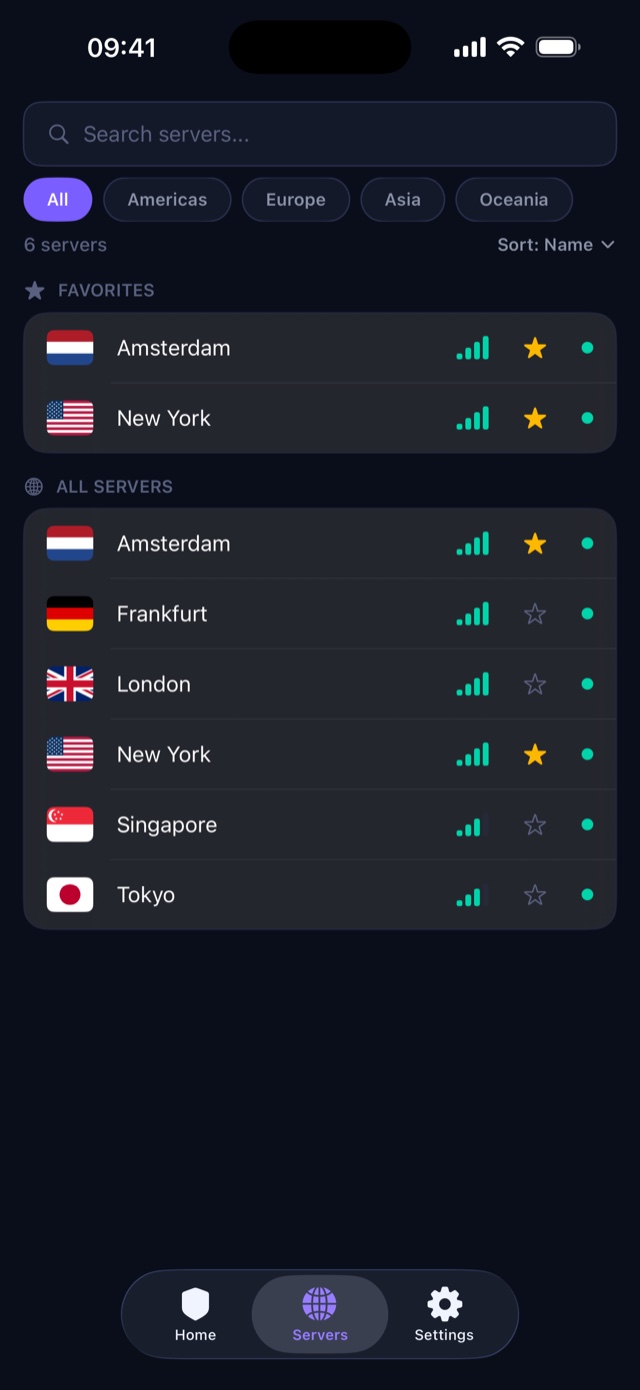
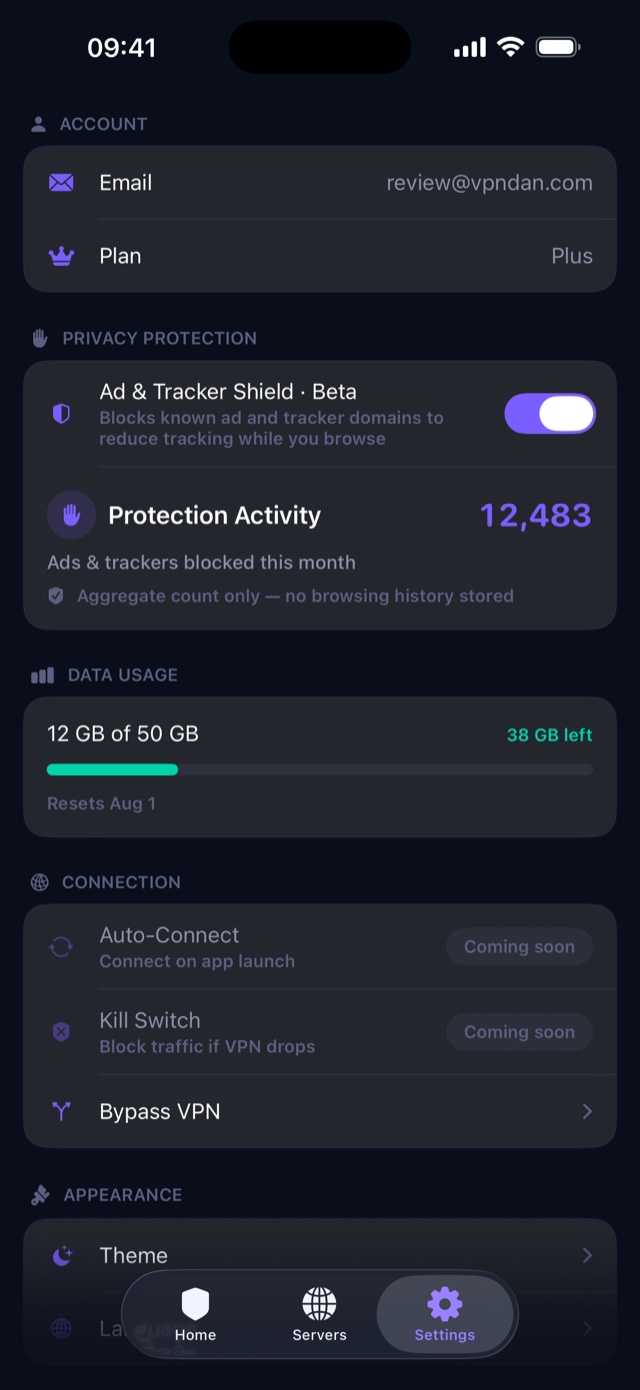
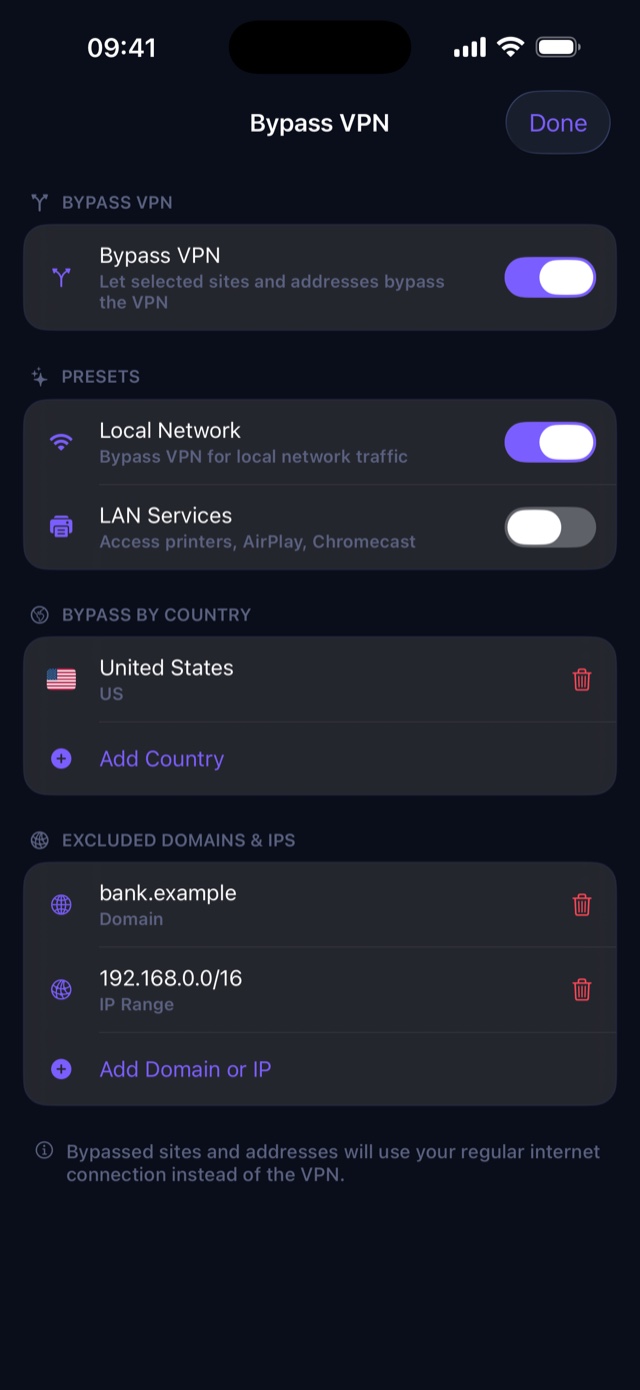
Go includes one free location. Plus and Pro unlock every server, with unlimited switching between locations. Open the app to see the current free location.
Adding a location takes us about a day, so this list grows with demand. Missing somewhere you need? Tell us where.
Go includes one free location and 10 GB each month. Plus and Pro unlock every location and provide more data. Every plan includes the obfuscated protocol, split tunneling, the ad shield, and unlimited devices.
Enough for daily browsing, email, maps, and messaging on an untrusted network.
or $49.99 / year
For people who leave the VPN on all day, across a phone and a Mac.
or $99.99 / year
No monthly ceiling — for heavy use, large downloads, and always-on protection.
Paid plans are auto-renewing subscriptions. You buy them inside the app through your Apple Account, and they renew automatically until you cancel. Cancel any time from your Apple Account settings — at least 24 hours before the period ends — and you keep the plan until that period runs out. Refunds are handled by Apple.
Hitting your cap disconnects you. On Go and Plus, the tunnel stops when you reach your allowance and stays off until the next UTC month begins. Nothing is throttled, nothing bills automatically beyond your subscription, and the app shows how much you have left the whole time.
“No logs” should be specific. We designed the service without per-device connection timestamps and do not record where you browse.
Read the full privacy policy →Install VPN Dan from the App Store on your iPhone or Mac.
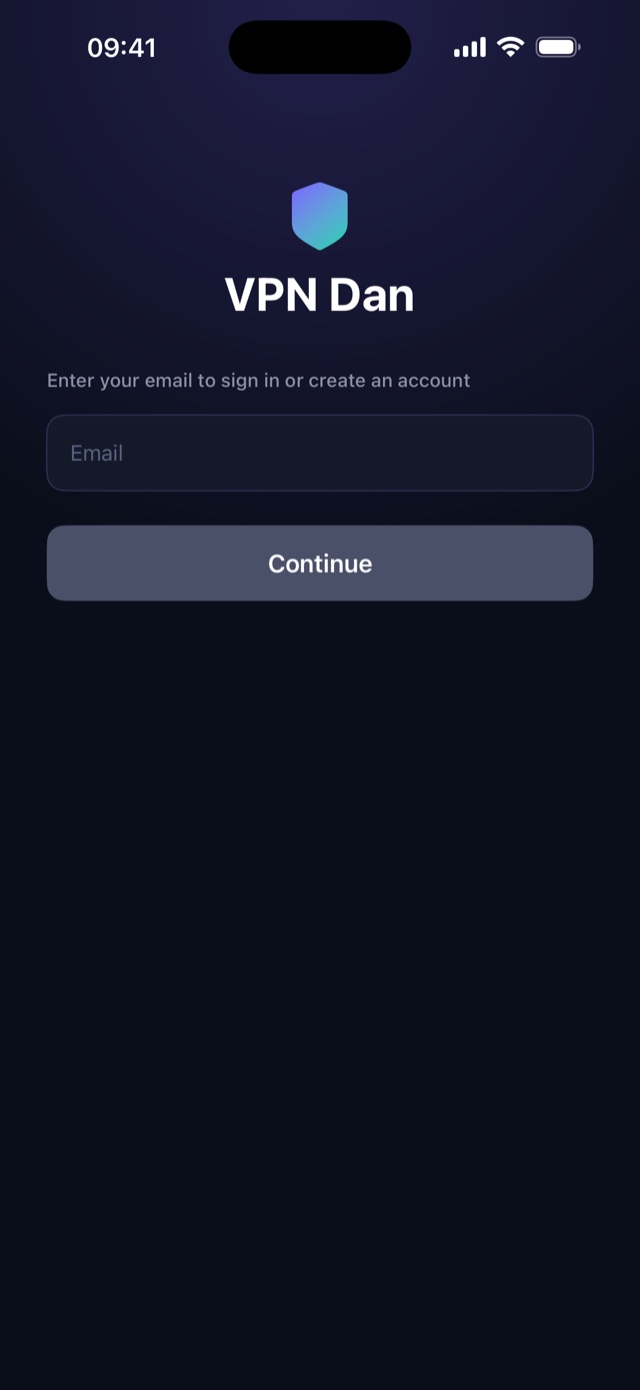
Enter the one-time code we send you. There’s no password to create — which also means that inbox is the only key to your account.
Choose a location, approve Apple’s VPN prompt once, and connect.
Native SwiftUI apps feel at home on Apple platforms and use the system Network Extension framework for the tunnel. Sign in on as many devices as you like — there is no device limit, and they can all be connected at once.
Privacy tools deserve clear answers, including the unflattering ones. If yours isn’t here, we’re easy to reach.
Ask support →VPN Dan encrypts traffic between your Apple device and the VPN server. This helps protect your connection on public Wi‑Fi, prevents your internet provider from seeing the contents of your traffic, and replaces your public IP with the server’s IP. A VPN does not make you anonymous to services you sign in to, and it does not replace good password or anti-phishing habits.
Go is free forever and includes one free location and 10 GB of protected data each UTC month, with no credit card. Both paid plans unlock every location. Plus is $4.99 per month (or $49.99 per year) for 100 GB, and Pro is $9.99 per month (or $99.99 per year) for unlimited data. Paid plans are auto-renewing subscriptions bought inside the app through your Apple Account — open Settings, tap your plan, and pick a tier. Cancel any time in your Apple Account settings.
On the Go and Plus plans, the tunnel disconnects once you reach your allowance and new connections are refused until your allowance resets at the start of the next UTC month. Nothing is throttled and you are never charged automatically — the connection simply stops. Your current usage is always visible in the app, and Pro accounts have no cap at all.
We run four locations today: New York, Germany, Singapore, and Australia. Go includes one free location, shown in the app. Plus and Pro include all locations, with unlimited switching. This applies to new and existing accounts. We would rather run a small number of well-provisioned servers than advertise a long list of crowded ones.
As many as you like. There is no device limit on any plan, and your devices can be connected at the same time to the same location or to different ones. Your data allowance is shared across all of them.
Sign-in is a one-time code sent to your email address, so that inbox is the only key to your account. There is no password and no secondary recovery method — if you permanently lose access to the address you signed up with, we cannot restore the account, and you would need to start a new one. Use an address you expect to keep.
Sometimes, but we do not promise it. Streaming platforms actively detect and block VPN and datacenter IP addresses, and the result changes from week to week without warning. We do not run dedicated streaming servers and we will not claim a service works when we cannot control whether it keeps working. If that is your main reason for wanting a VPN, try the free plan first.
An optional filter, currently in beta, that blocks known advertising and tracker domains at the DNS level while you are connected — so it works in every app, not just a browser. We keep only an aggregate count of how many requests were blocked in the current month. The domains you request, and when you requested them, are never stored.
AmneziaWG is an open-source WireGuard fork. It keeps WireGuard’s modern cryptography while adding transport-level obfuscation that changes recognizable packet patterns. That makes VPN traffic harder for Deep Packet Inspection systems to identify and block.
We do not store your browsing history, DNS queries, original IP address, or connection timestamps. We do keep the minimum data needed to run the service: your email, device name and platform, your monthly transfer total so the data allowance works, and an aggregate count of blocked ad domains if you turn the shield on. Crash diagnostics are collected only with consent.
VPN Dan is built natively for iPhone and Apple silicon Mac. The iPhone app requires iOS 26 or later; the Mac app requires macOS 14 (Sonoma) or later and an Apple silicon Mac. There is no Windows, Android, or Linux client today.
Yes. Split tunneling lets you exclude selected domains, IP ranges, whole countries, and local network routes — useful for a bank that distrusts VPNs, or for reaching a printer at home. It works on both iPhone and Mac. There is no per-app bypass control on Apple platforms.
Streaming services block VPN addresses on purpose, and the result changes week to week. Here is how the detection works, why no provider can honestly guarantee access, and what to try.
Read guide →Some networks and countries actively detect and block VPN traffic. Here is how that detection works, what obfuscated protocols like AmneziaWG change, and what they honestly cannot promise.
Read guide →Learn how AmneziaWG keeps WireGuard’s cryptography while changing recognizable traffic patterns to make VPN connections harder for DPI systems to detect.
Read guide →One tap to a private, obfuscated connection on iPhone and Mac.
Download on theApp StoreNo credit card · Passwordless sign-in · Cancel by deleting your account